Nike: Engineered for Athletes
Nike, Inc.Shopping
4.7108.63K Reviews
- Version
- 26.51.1
- Installs
- 100.00M
- Age Rating
- Everyone
Screenshots
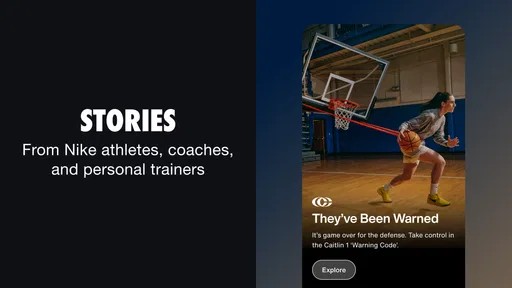
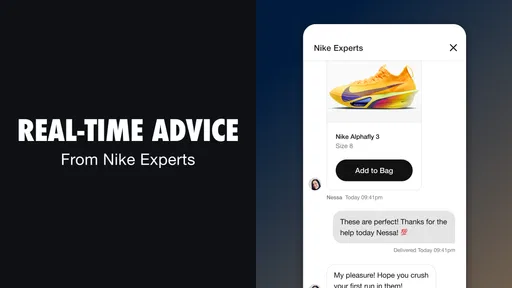
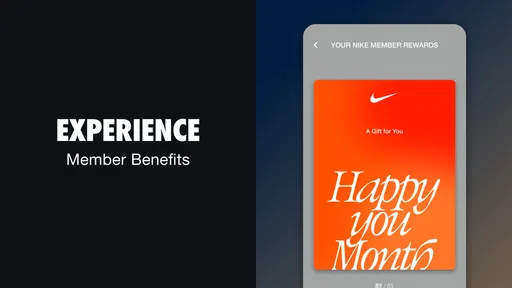
Our Review of Nike: Engineered for Athletes
 Analysis by Appyee
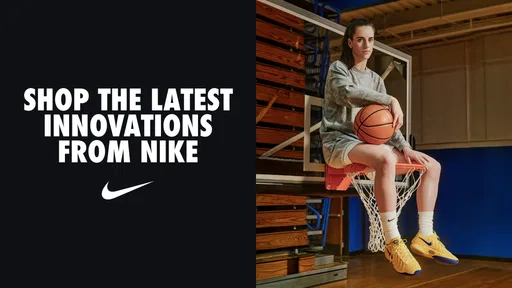
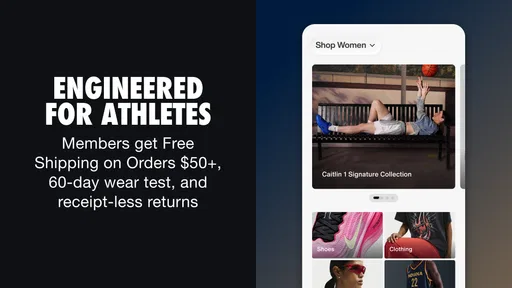
I spent time with Nike: Engineered for Athletes as a shopping app rather than treating it like a simple catalog. That distinction matters. It is built for people who already know they want Nike or Jordan products and want a more direct way to browse shoes, apparel, and sports essentials. My experience was strongest when I used it with a clear purpose—checking a particular type of running shoe, comparing styles, or looking for clothing suited to training—rather than opening it without an idea of what I needed.
The app is free, made by Nike, Inc., and aimed at everyone. It has been available since August 2, 2016, and its current version is 26.41.1 for devices running iOS 11 or later. With a 4.7 average from around 1.1 million ratings and over 100 million installs, it is clearly a well-established shopping option. Those figures do not replace personal experience, but they do suggest that the app has become a familiar route into Nike’s product range.
How I use the app from browsing to buying
I use the app with a short plan: identify what I need, compare a few relevant options, and pause before buying to check the details that matter to me. That keeps browsing useful instead of letting new products pull me away from the original task. Once I have a likely choice, I move on to the small checks that can prevent a rushed purchase.
A useful baseline workflow for everyday shopping
My usual starting point is not the home screen itself but a specific shopping intention. If I need footwear for everyday walking, I begin by exploring shoes and then narrow my attention by style, sport, or the kind of use I have in mind. When I am shopping for training clothes, I approach the process differently and focus on apparel first. This sounds obvious, but it prevents the app from becoming an endless stream of attractive products with no practical decision behind them.
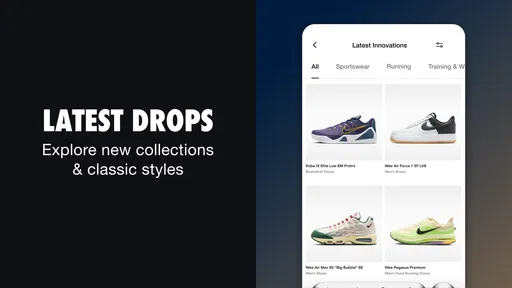
The strongest part of this workflow is the ability to stay inside Nike’s own product environment. Instead of moving between a general retailer, a search engine, and several product pages, I can inspect Nike and Jordan items in one place. That makes the experience especially convenient when brand consistency matters, such as putting together a complete running outfit or replacing a familiar pair of shoes without changing to another manufacturer.
I recommend treating each product page as a checkpoint rather than an automatic invitation to buy. I look at the photos first, then read the description with a specific question in mind: does this item fit the way I plan to use it? A casual sneaker, a training shoe, and a performance-oriented running model may all look suitable in a quick scroll, but they can serve very different purposes. The app helps with discovery, while the responsibility for matching the product to your routine remains with you.
For a realistic weekday example, imagine that I need a new pair of shoes before a weekend trip. I can use the app during a short break to browse the relevant footwear section, save a few candidates mentally or through the app’s available shopping flow, and return later when I have time to check size and details. This is more efficient than wandering through every new release. The key habit is to decide the use case before browsing, not after.
What I check before committing to an item
I pay close attention to size information and product details because online shopping removes the chance to try something on immediately. A familiar Nike silhouette may still feel different from another model, and the same nominal size is not a guarantee of identical comfort across every design. I would rather spend an extra minute reading the page than rely on the appearance of a shoe in a promotional image.
Photos are useful for checking shape, color, visible materials, and small design elements, but I do not treat them as a substitute for physical inspection. This is one of the app’s natural limitations. It can present a product clearly, yet it cannot tell me whether the heel will rub, whether the cushioning will suit my stride, or whether a fabric will feel comfortable during a long session. For those questions, an in-store visit or advice from someone familiar with the model can be better.
I also separate “I like the design” from “this solves my problem.” That simple distinction has made my browsing more disciplined. Nike’s range includes plenty of products that are visually tempting, but the right purchase depends on intended use, fit, and how often I expect to wear it. The app is very good at encouraging discovery; experienced use means adding my own filter before the checkout stage.
Settings and account habits worth checking
Before I rely on any shopping app regularly, I check the account and device settings that affect the experience. In Nike’s app, I would review notification choices so that product alerts do not become distracting. Notifications can be useful when I genuinely want updates about shopping activity, but they are less helpful when I am only browsing casually. Keeping alerts aligned with an actual purchase goal makes the app feel calmer.
I also check location and delivery details carefully when preparing to order. A shopping app is only as convenient as the information attached to the transaction, and an old address or incomplete account detail can turn a quick purchase into a frustrating correction. I prefer to review these details before I reach the final step, particularly when buying a gift or sending something somewhere other than my usual destination.
Another practical habit is to keep the app updated through the normal app-store process. The current release is 26.41.1, and using a recent version is sensible for compatibility and general stability. I do not update simply because a new number exists; I update because shopping flows, product presentation, and account handling work best when the app and operating system are reasonably current. The minimum operating-system requirement is iOS 11 or later, so owners of older devices should check compatibility before planning around it.
I would not grant every permission automatically. Shopping does not require me to surrender control of every device setting, and I prefer to decide individually whether notifications, location access, or other prompts are useful for my routine. This is not a criticism unique to Nike; it is a general mobile-shopping rule. The more deliberately I configure the app, the less likely it is to interrupt me when I am not actually shopping.
Faster patterns for repeat shoppers
The quickest way to use the app is to build a repeatable browsing pattern. I begin with the product type, narrow the selection, inspect only the items that match my purpose, and leave the rest alone. This is faster than repeatedly opening the app and scrolling through whatever happens to appear first. It also makes comparisons more meaningful because I am evaluating similar products rather than mixing shoes, clothing, and accessories in one vague search.
When I am replacing something I already own, I start with the familiar characteristics: the general shape, intended activity, color preference, and size. I then use the app to see what has changed rather than assuming the newest item is automatically the best replacement. This approach is particularly useful for people who have a dependable Nike or Jordan style and want a sensible next purchase instead of a complete change.
For a household with several athletes, I would handle each person’s shopping as a separate task. Mixing a child’s school shoes with an adult’s gym clothing can make the cart or browsing history harder to interpret. Separating the jobs also encourages better questions: who will wear this, on what surface, and how frequently? The app provides access to the products, but a clear personal system reduces mistakes.
I also avoid using the app as a substitute for a budget. Because it presents a large range of products from one brand, it can make adding another item feel effortless. My faster pattern is to set a spending limit before I browse and to compare the product against that limit, not against the excitement of the page. The app is free to download, but the products themselves are purchases, so “free app” should never be confused with “free shopping.”
One useful trade-off is convenience versus independent comparison. If I already know I want a Nike product, the official app is usually more direct than a general marketplace. If I am trying to find the lowest price across multiple retailers, compare several brands, or inspect independent seller feedback, a broader shopping service may be more suitable. I use Nike’s app for brand-focused research and a general retailer when price comparison is the main objective.
Where the app is strongest
The app makes the most sense for shoppers who want Nike and Jordan products in one dedicated place. It is especially useful for people who follow the brand closely, replace sportswear regularly, or prefer to investigate new footwear and apparel without sorting through unrelated labels. The official focus also makes the browsing experience feel more coherent than a large marketplace filled with third-party listings.
It can also help someone who is beginning to take sportswear more seriously. A new runner, gym user, or recreational athlete can browse categories and learn how Nike organizes its range. I would still encourage that person to research fit and activity requirements elsewhere when necessary, but the app offers a convenient starting point for understanding the available choices.
Jordan shoppers have a clear reason to use it as well. Keeping Jordan products alongside the wider Nike range is useful when a person wants to compare lifestyle footwear with performance-oriented options without switching between separate brand experiences. The benefit is less about a single clever tool and more about reducing the number of places I need to visit during a brand-specific shopping trip.
Limits that experienced users should understand
The app is not the right choice for everyone. If I am undecided between Nike, Adidas, New Balance, ASICS, or another brand, the official Nike environment naturally gives me only one company’s perspective. It may help me choose among Nike models, but it cannot provide a balanced comparison of cushioning philosophies, fit, durability, or price across the whole market.
It is also not a replacement for trying on footwear. This matters most when I am buying a model with an unfamiliar shape or purchasing for demanding activity. Product pages can support an informed decision, but they cannot reproduce the feeling of walking, running, or training in the shoe. When fit is uncertain and the purchase is time-sensitive, a physical store may be the safer option.
Another limitation is the potential for distraction. A focused shopping task can become a long browsing session because the brand has such a broad range of products. I have found that setting a short list before opening the app prevents this. If I only need replacement training shorts, I do not need to inspect every new shoe release first.
People who prioritize the broadest possible bargains may also prefer another route. Nike’s app is designed around Nike’s collection, not around collecting offers from every retailer. Its value is convenience, brand depth, and a direct shopping experience. Its weakness is that it does not serve as a universal comparison engine.
My approach to making better decisions in the app
I use a three-question test before buying: what activity is this for, how often will I use it, and what problem is it solving? If I cannot answer those questions, I usually continue researching instead of checking out. This habit is more valuable than simply learning where every button is because it turns browsing into a decision process.
I also compare products by function rather than by release order. The newest item may have the freshest styling, but an older-looking option might be more appropriate for my needs. The app makes it easy to notice what is new, so I deliberately slow down and inspect alternatives that match my use case even if they are not the first products presented.
For gifts, I take extra care with size and style. Buying a Nike item for someone else is not the same as buying for myself, especially when footwear is involved. Apparel can be easier if I know the recipient’s usual size and preferred fit, but I still avoid guessing when the item is expensive or the occasion is important. In that situation, a gift card or an in-person choice may be less risky than relying on an attractive product page.
For athletes, I would combine the app with advice from a coach, physiotherapist, or experienced retailer when the purchase relates to pain, injury, or a major change in training. The app can show what Nike sells, but it should not be treated as medical guidance. That is an important boundary, particularly for runners or people returning to sport after a problem.
Who should download it, and who should skip it
I would recommend it to someone who already shops Nike or Jordan products and wants a convenient official destination for shoes, apparel, and sports essentials. It is also a good fit for repeat buyers who have learned what they like and want to browse new options without starting from a completely general marketplace.
I would be less enthusiastic for a shopper whose first priority is finding the cheapest available item, comparing many brands, or reading extensive independent seller feedback. A multi-brand retailer is likely to fit that purpose better. I would also suggest caution for anyone buying performance footwear without knowing their size or preferred fit, because no app can remove the uncertainty of trying on a shoe.
The age rating of Everyone makes the app broadly accessible, but accessibility does not mean every purchase is suitable for every budget or activity. Younger shoppers may still need an adult’s help with payment and delivery decisions, while athletes should choose products based on real needs rather than branding alone.
My final verdict after building a repeatable routine
Nike: Engineered for Athletes works best when I use it as a focused brand shop, not as a general-purpose shopping playground. Its free access, established presence, and broad Nike and Jordan selection make it convenient for people who already know where they want to shop. I appreciate the directness: I can explore the brand’s footwear, clothing, and sports essentials without unrelated marketplace listings getting in the way.
Its real strength appears after I develop a routine. I choose the activity first, check fit and product details, review account and notification settings, and compare items by purpose rather than excitement. Those habits make the experience faster and reduce impulse purchases. They also compensate for the app’s main weaknesses: limited cross-brand comparison, the inability to reproduce an in-person fitting, and the temptation to browse beyond what I need.
With a 4.7 average and over 100 million installs, it is clearly popular, but popularity is not the deciding factor for me. The deciding question is whether a dedicated Nike shopping experience matches the way you buy sportswear. If the answer is yes, I think this app is worth keeping on your phone. If you need broad marketplace comparison or expert fitting help, I would use it as a research tool at most and choose a different shopping route for the final decision.
Privacy and Permissions
See what permissions an app requests and how it handles your data.
- Location
- approximate location (network-based), precise location (GPS and network-based)
- Photos/Media/Files
- read the contents of your USB storage, modify or delete the contents of your USB storage
- Storage
- read the contents of your USB storage, modify or delete the contents of your USB storage
- Camera
- take pictures and videos
- Wi-Fi connection information
- view Wi-Fi connections
- Other
- view network connections, create accounts and set passwords, pair with Bluetooth devices, access Bluetooth settings, connect and disconnect from Wi-Fi, full network access, read sync settings, run at startup, reorder running apps, control vibration, prevent device from sleeping, toggle sync on and off, Google Play license check, read Google service configuration
Verdict
Strengths of Nike: Engineered for Athletes
- Personalized training plans adapt to your goals and fitness level.
- Detailed workout demonstrations make exercises easier to follow correctly.
- Supports multiple training styles, from strength work to mobility sessions.
- Progress tracking helps you monitor consistency and long-term improvements.
- Clean interface makes it quick to find suitable workouts and programs.
Limitations of Nike: Engineered for Athletes
- Some advanced training content may require a paid Nike membership.
- Workout recommendations can feel limited without entering personal details.
- Video-heavy sessions may use considerable mobile data and storage.
- Certain features may depend on compatible Nike devices or services.
- The app may feel too fitness-focused for users seeking general wellness tools.
Other Releases by Nike, Inc.
View All
Nike SNKRS: Shoes & Streetwear
Shopping4.1
Similar Picks in This Category
View All
SHEIN-Shopping Online
Roadget Business PTE. LTD.4.8

Amazon Shopping
Amazon Mobile LLC4.4


Mercado Libre: Compras online
Mercado Libre4.8

Wish: Shop and Save
Wish US Holdings LLC4.7

Alibaba.com - B2B marketplace
Alibaba Mobile4.4
Frequently Asked Questions
What is Nike: Engineered for Athletes?
Nike: Engineered for Athletes is a Nike-focused app designed to support training, activity tracking, product discovery, and athlete-oriented content. Depending on your region and the current version, it may include workout guidance, personalized recommendations, shopping features, member benefits, and access to Nike services. The exact tools available can vary by country, device, account type, and app updates.
Is Nike: Engineered for Athletes free to download and use?
The app is generally free to download, although some products, services, or experiences presented inside it may require payment. You may also need to create or sign in to a Nike Member account to access personalized content, saved preferences, purchase history, exclusive releases, or certain training features. Before downloading, check the store listing for subscription details, in-app purchases, and regional restrictions.
Does the app work with Nike wearable devices or other fitness trackers?
Compatibility depends on the specific app version and the devices or services supported in your region. Some Nike experiences may connect with smartphones, location services, health platforms, or compatible fitness trackers, while others may operate independently. Review the permissions and supported-device information in the official store listing before installing, especially if you expect automatic activity synchronization or wearable integration.
Do I need an internet connection to use Nike: Engineered for Athletes?
An internet connection is usually required for signing in, browsing Nike products, receiving updated content, synchronizing activity data, accessing account features, and completing purchases. Certain downloaded training materials or basic functions may remain available temporarily without a connection, but offline access should not be assumed. Mobile data usage can also increase when streaming videos, loading images, or syncing workout information.
What permissions and personal information does the app request?
The permissions requested may include account details, location, notifications, camera access, Bluetooth, and health or activity data, depending on the features you choose to use. These permissions help provide personalized recommendations, tracking, device connections, alerts, or shopping services, but not every permission is mandatory. Read Nike’s privacy policy and your device settings carefully, and disable optional access that you do not need.
